
In this guide, we'll connect Generative AI services — ChatGPT, Gemini, and Claude — to a Line Official Account through their APIs.
From here on, we'll refer to the OpenAI Platform (ChatGPT) API, the Gemini API, the Claude API (Anthropic Console), and similar services collectively as the "GenAI API".
By the end of this article, you'll have a Line chatbot that answers users as if they were chatting with the GenAI API directly.
Overview
Line OA can't call the GenAI platforms directly — it talks to external systems only through something called a Webhook. So the fastest route is to place a middleman between the two sides, and in this guide that middleman is Botnoi Chatbot: it receives each Line message, calls the AI you chose, and replies for you.
If we don't want to build that webhook ourselves, we need an intermediary to do the job, as the diagram below shows.
How the three systems connect
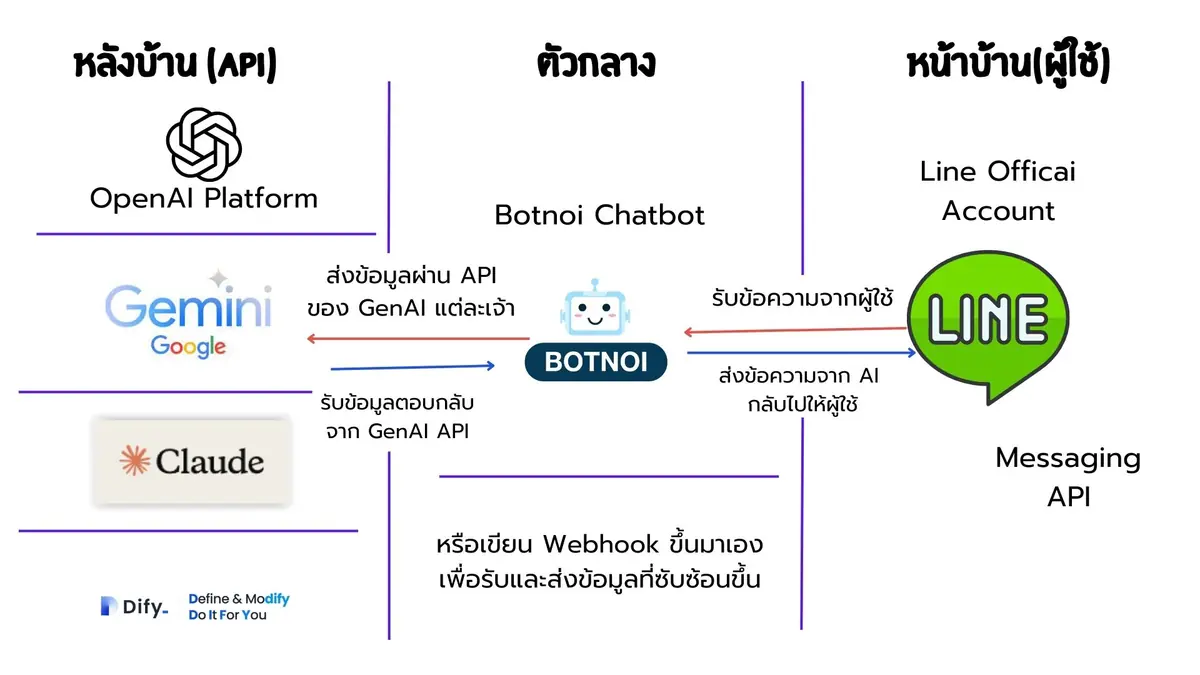
For this setup I chose Botnoi Chatbot as the intermediary, because it connects to the Line side easily and needs almost no extra code.
Which GenAI provider should you pick?
Any of the four providers below works with this setup — the connection steps through Botnoi are nearly identical for all of them. Gemini's free tier makes it the easiest place to start, OpenAI and Claude bill by usage, and Dify.ai adds a prompt layer on top when you want a more specialized bot.
| Provider | Where to create the API key | Cost note | Good to know |
|---|---|---|---|
| OpenAI Platform (ChatGPT) | OpenAI Platform console | Pay-per-use, billed on usage — keep it under control | Connects to Botnoi via the chat/completions endpoint |
| Google AI Studio (Gemini) | Google AI Studio | Offers a free tier | Answers tend to be broad unless you steer them with a prompt (e.g. via Dify.ai) |
| Anthropic Console (Claude) | Anthropic Console | Pay-per-use, billed on usage — keep it under control | Connects to Botnoi much like ChatGPT |
| Dify.ai | The Dify app you create | Depends on the LLM you connect behind it | The right choice when you want prompt templates and user inputs |
Pricing and free-tier terms change over time, so check each provider's current pricing page before you commit.
Prepare your Line OA
Three things need to happen on the Line side: create a Line Official Account, turn off auto-reply and enable the webhook connection, then link the account to Botnoi Chatbot. Each step takes only a few minutes in the Line OA manager.
A Line Official Account
Create and prepare your chatbot account in advance. If you've never done this before, check the official guide here.
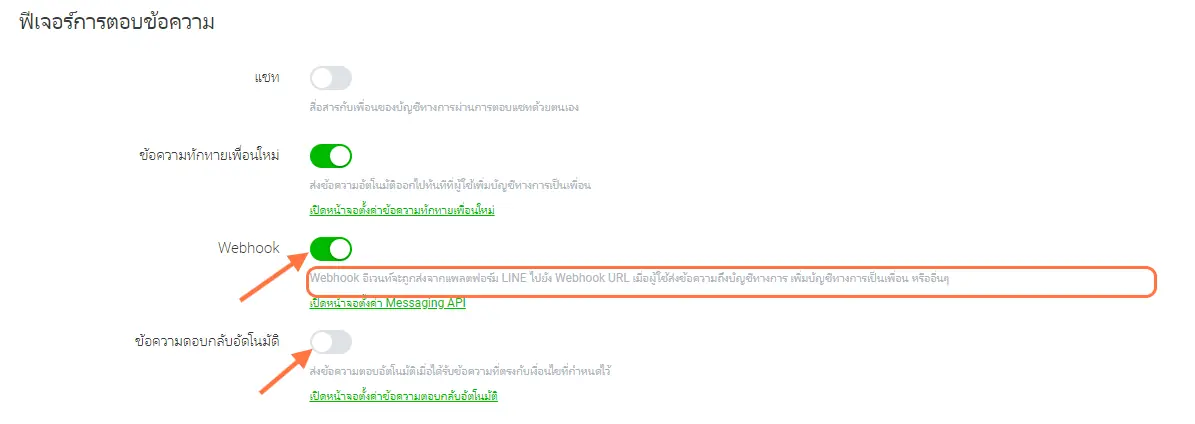
Enable the webhook connection
By default, a Line bot has automatic replies turned on. We need to disable those settings and enable the webhook connection, as shown in the image.
Connect Line to Botnoi Chatbot
Prepare the AI platform APIs
Next, sign up for the developer platform of the provider you chose and create an API key. This is not the regular front end where you chat with the AI — it's the platform's back end, which lets external systems (like our chatbot) call the model through an API.
OpenAI Platform (ChatGPT)
Create an API key on the OpenAI Platform — see the steps.
Google AI Studio (Gemini)
Create an API key from Google AI Studio on this page.
Claude by Anthropic
Create an API key from the Anthropic Console — see the steps.
Dify.ai
Create an API key for the app you want to use — see the steps.
Connect your GenAI API key to Botnoi
Now wire the two sides together inside Botnoi: configure the bot so that every message a user sends is forwarded to the GenAI API you prepared, and the model's reply comes back as the bot's answer. Pick the walkthrough below that matches your provider.
OpenAI Platform (ChatGPT)
Using the OpenAI Platform without proper usage control can lead to high costs.
Connect ChatGPT through chat/completion — see the steps here.
Google AI Studio (Gemini)
Google AI Studio offers a free tier, but on its own Gemini tends to give very broad answers. To get more out of it, consider pairing it with Dify.ai (below) to build a prompt that steers the responses.
Take your API details and connect them to Botnoi — see the steps here.
Anthropic Platform (Claude)
Using the Claude API without proper usage control can lead to high costs.
Connect the Claude API to Botnoi — see the steps here.
Dify.ai (text generation, no input)
Connect Dify.ai with a bot that needs no input (text generation only) — see the steps here.
Build a more specialized bot
A direct API connection gives you a bot that behaves exactly like chatting with ChatGPT or Gemini inside Line OA — no persona, no rules, no special job. To make the bot more useful, put a prompt layer in front of the model with a tool like Dify.ai, then adjust the connection as shown below.
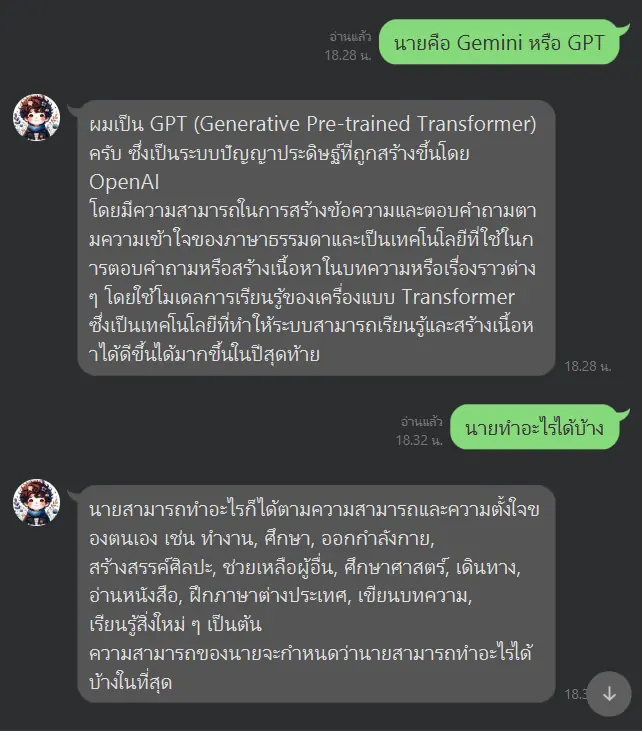
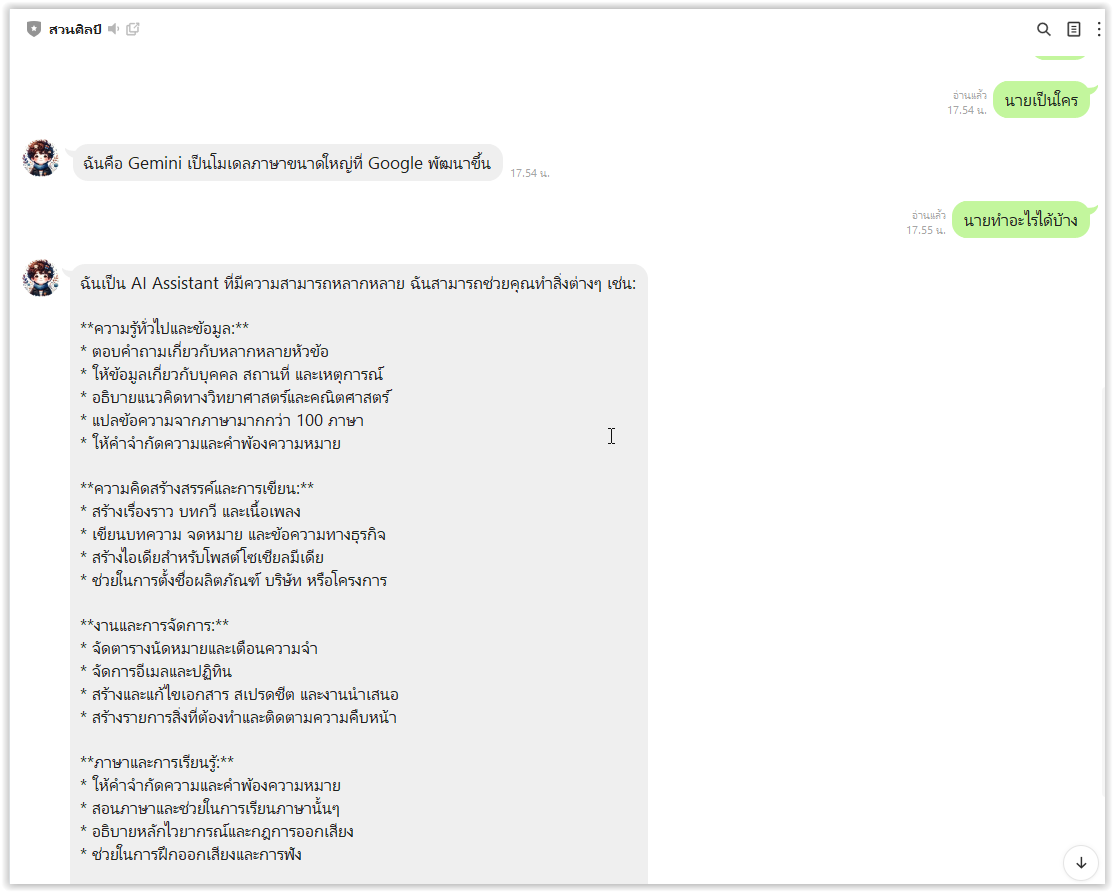
If you want your bot to handle a wider range of tasks, connect the API to an assistant or prepare the bot through a tool like Dify.ai, then modify the connection as follows.
How to add an input
(Text generation with one input)
The Dify example above is a quote-of-the-day bot: its prompt simply returns a quote, with no input from the user.
In this example, we'll adjust it to accept one extra input. Whatever the user types, the bot will generate a related quote for them.
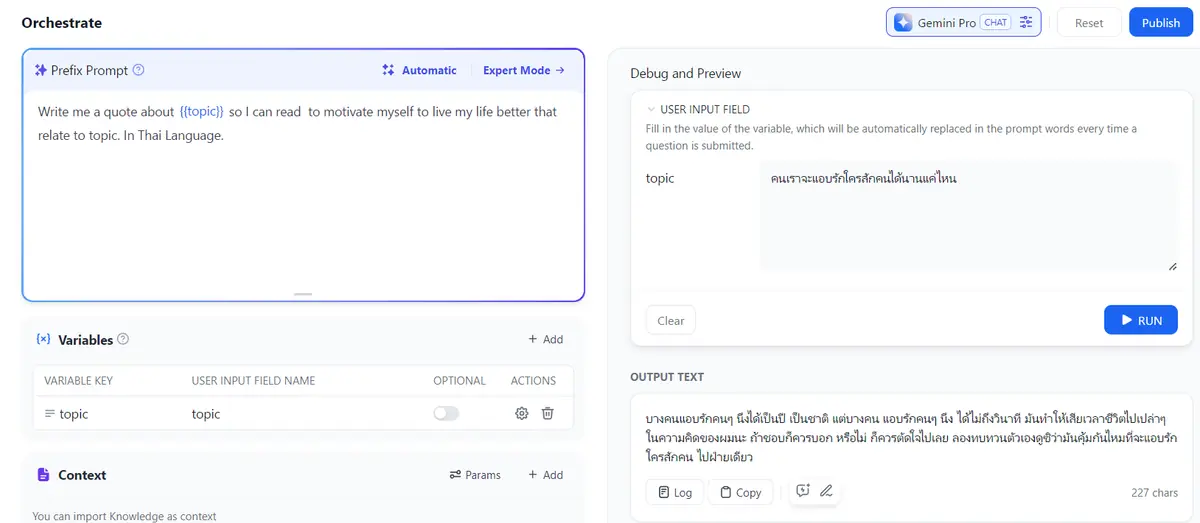
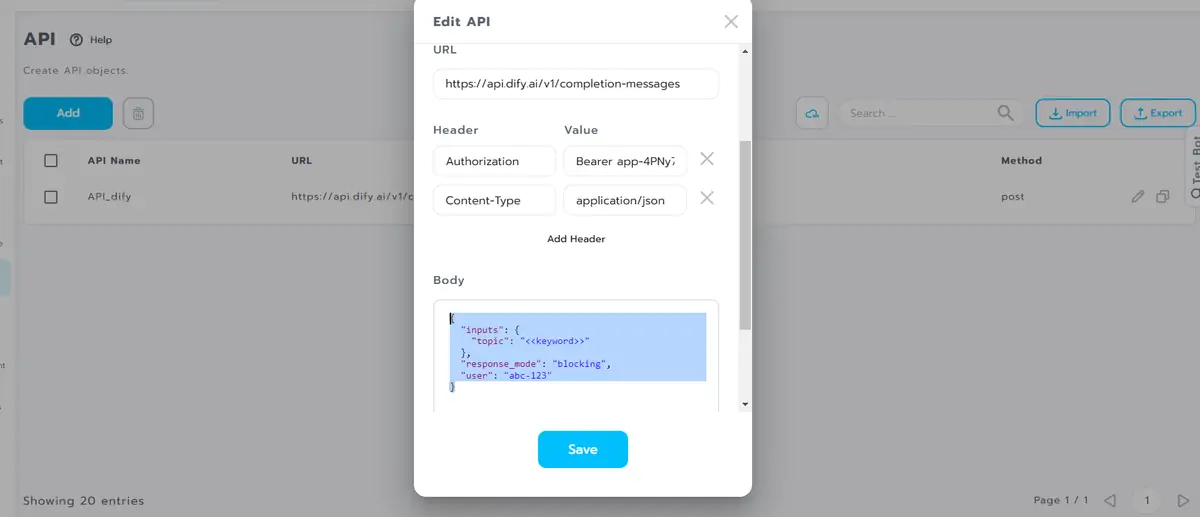
Then modify the Botnoi API so it also sends whatever the user typed, using the body below — the topic field is the part that changes.
{
    "inputs": {
        "topic": "<<keyword>>"
    },
    "response_mode": "blocking",
    "user": "abc-123"
}
Update this in the Body section of the Botnoi API, as in the example below.
Now, whatever message we send the bot, it generates a related quote for us.
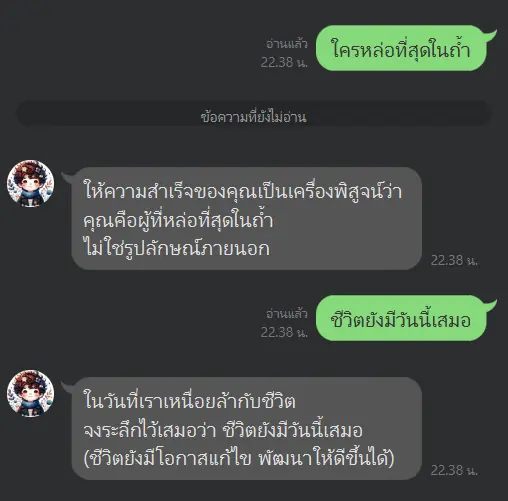
Line OA can act as the front end in certain contexts. As the owner of a GenAI app, choose the front end that fits how your AI actually works.
Cautions
One habit protects you from surprise bills: treat your Line OA like a door into your API account. From this point on, every message sent to the bot calls the Generative AI you connected through Botnoi Chatbot — so control who can reach the bot and keep an eye on usage.
If you chose a Generative AI that charges based on usage — like ChatGPT, Claude, or Dify.ai when it's linked to a paid LLM API behind the scenes — take extra care.
Don't distribute your Line OA to people outside your target users. Anyone who becomes a friend of your Line OA can start using your Generative AI API immediately, just by chatting with the bot.
With Gemini's free tier there's a little more breathing room, but the same habit still applies.
Good luck!